Grand Theft Auto V: The Manual v0.1 MOD APK (Unlocked)
Rockstar Games
MOD: Unlocked
GTAV: The Manual is the official manual app for Grand Theft Auto V.
100%working
vote by HappyMod users
Rockstar Games
MOD: Unlocked
GTAV: The Manual is the official manual app for Grand Theft Auto V.
100%working
vote by HappyMod users
Version
0.1
Latest
Size
105.62 MB
Total
Reached
43151
Views
Updated
04-27
2026
Verified by our team and matched with recent HappyMod user reports.
Infinix X6840 INFINIX
SM-A145P samsung
25028RN03I Xiaomi
ELN-L09 HONOR
SM-A266M samsung
23106RN0DA Xiaomi
Infinix X6528 INFINIX
TECNO KI5k TECNO
23129RN51X Xiaomi
RMX3710 realme
Files were scanned by these engines and marked safe.
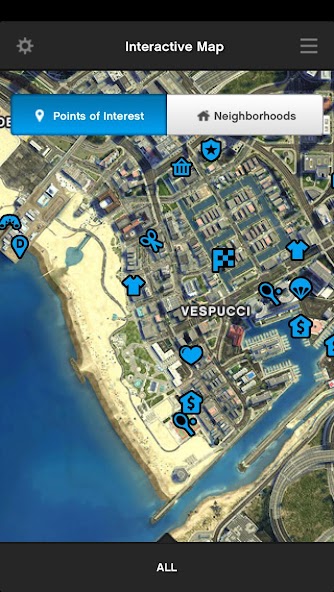
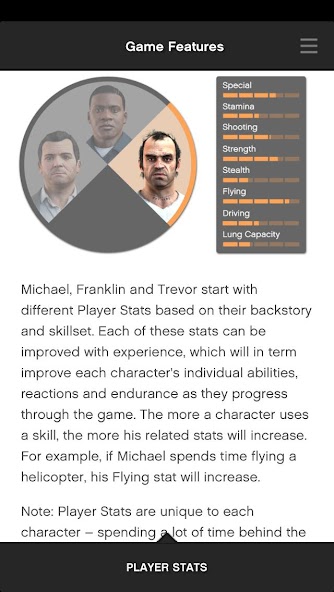
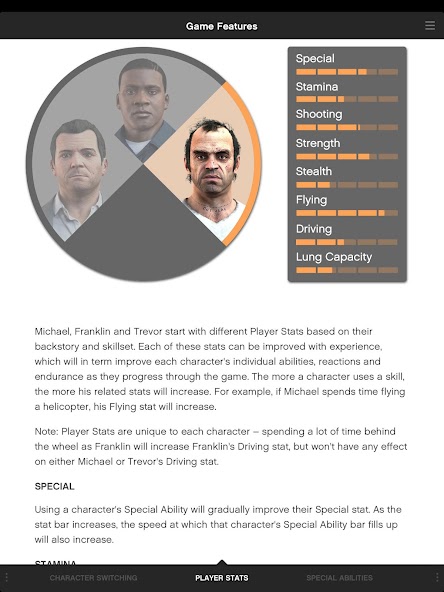
Grand Theft Auto V: The Manual is the official companion guide for GTA V, built to help players understand the game world, controls, missions, and activities in a simple and organized way. In this version, the MOD feature unlocks the GTA V APK Prologue part, giving you early access to explore part of the experience in a more convenient way. It is a great reference for both new players and longtime fans who want a deeper look at Los Santos and Blaine County.
Version
0.1
Version Code
1
Permission
Min SDK
16
Target SDK
26
Supports Screens
CPU
armeabi-v7a
Signature
A7B3774480C00C2064EA19F159906241F9F9D225
SHA256
c09d85a65298dba934a7fbd74c976f060ef6fd9283805e7b51d4ed0fc94d425b
Yes, the HappyMod on HappyMod.work has no ads with faster download spped. All the Mod APKs keep updating.
XAPK is a package format that combines APK and extra data files. Download and and install HappyMod App to install it.
Try refreshing the page, switching your network connection, or selecting an alternative mirror. If the issue persists, please submit a report so we can update the link as soon as possible.
Common causes include version mismatches, unsupported device architecture, or missing system permissions. To ensure stability, always match the mod to your specific game version and perform a clean installation.
Uninstall any conflicting builds of the app, clear your installer's cache, and ensure you have sufficient internal storage. Once cleared, retry the installation using the original installer package.
If the digital signatures match, you can simply install the update directly over the existing app. However, it is highly recommended to back up your game files before upgrading to prevent any accidental data loss.
Safety starts with understanding how developers collect and share your data.
Install the HappyMod client to post your own comment and unlock more reviews.
From: PH Device: Infinix X6840 INFINIX
dili ma kuha
From: AE Device: SM-A145P samsung
لايعمل ت
From: IN Device: 25028RN03I Xiaomi
nice game to play
From: IQ Device: ELN-L09 HONOR
لا يعمل
From: HN Device: SM-A266M samsung
el mejor divertido asombroso
From: SY Device: 23106RN0DA Xiaomi
اىاىها اه اه
From: IQ Device: Infinix X6528 INFINIX
بس ماعرفت العبه
From: FR Device: TECNO KI5k TECNO
jvj vin jjhfcb
From: PH Device: 23129RN51X Xiaomi
we all to do chip to us so if do it we of food to us to hop FL he'll
From: BR Device: RMX3710 realme
essa desgraça não pega não PORRA